Actus / Change control

Every change, decided on the record.

Raise a change request, put it on a board agenda, and record a signed decision from a facilitator or by a roll-call vote, with the NexusRM impact of the change attached.

01 / Change requests

From draft to a board agenda.

A change request carries a Class I or Class II classification, a rationale and a cost impact, and cannot be submitted while any of them is missing. A submitted request waits for a board session; a deferred one can be resubmitted for a later session. Where NexusRM is enabled for the project, the request also lists the requirements it affects.

  • Class I and Class II, justification and cost impact
  • Submit validated for completeness
  • Deferred requests resubmitted for a later session
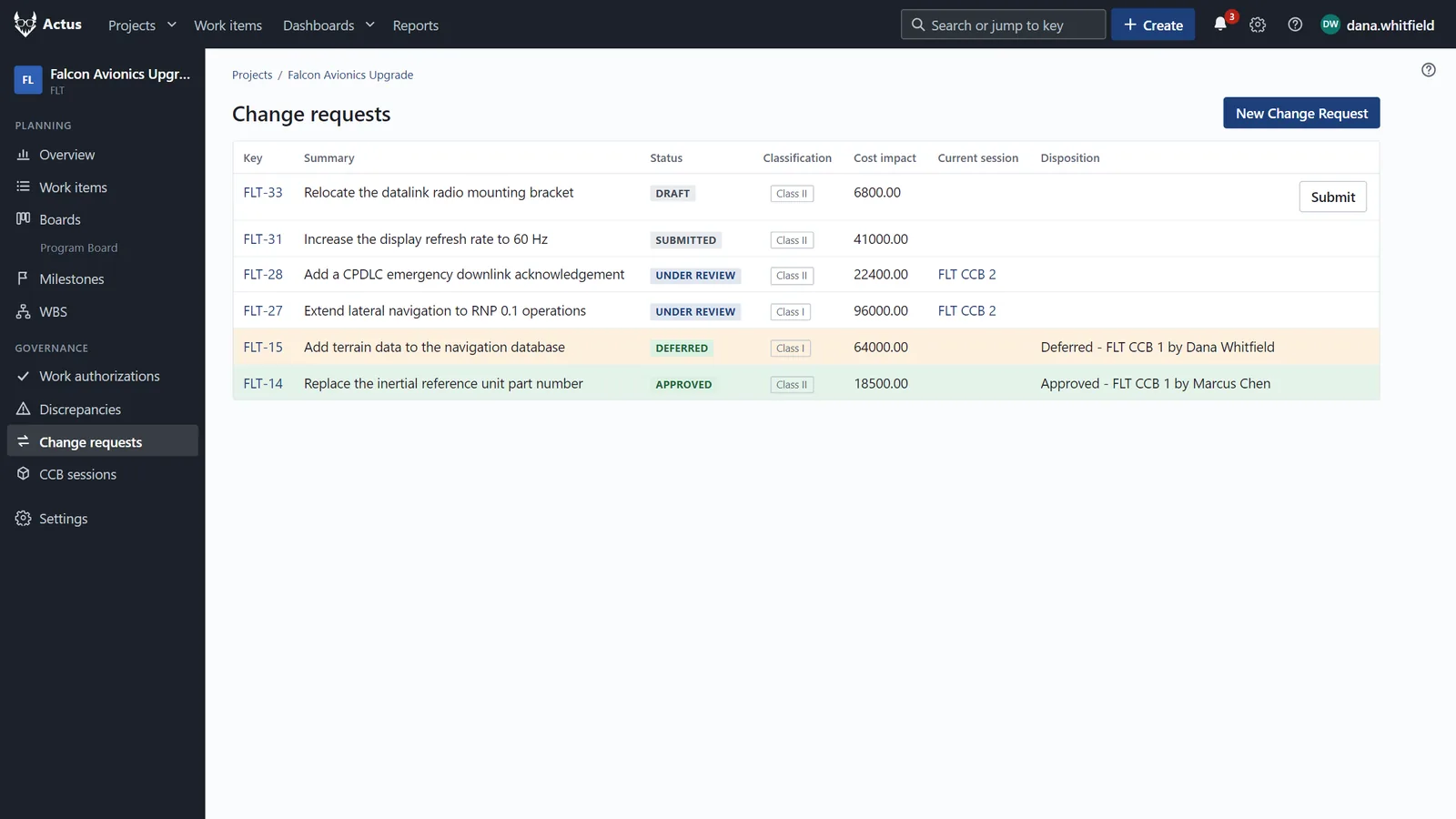
FLT change requests: a Draft with a Submit button, a Submitted request, two Under Review on the FLT CCB 2 session, a Deferred request and an Approved request
02 / CCB sessions

Agenda, votes and dispositions.

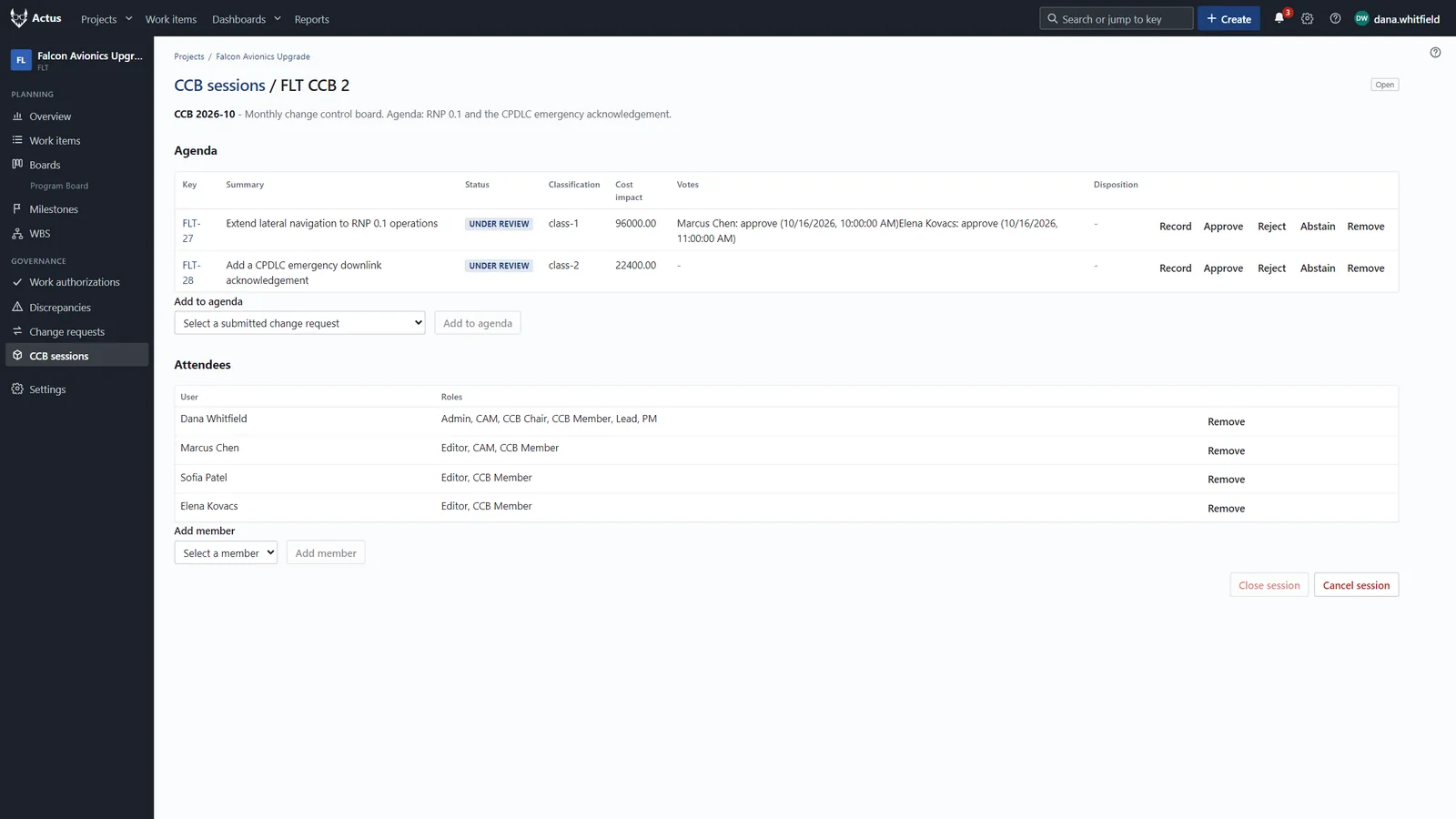
Schedule a session, add Submitted requests to its agenda and record who attended. If a request is edited after it was added, the agenda flags it as changed since added and shows the field-level difference. Under facilitator sign-off, a person with the right permission records a signed Approve, Reject or Defer. Under a quorum roll-call, each CCB Member votes; when the quorum is met and the non-abstaining votes agree, the disposition is recorded automatically, and the CCB Chair can always record a signed override. A session cannot be closed while an agenda item has no disposition.

  • Facilitator sign-off or quorum roll-call, per project
  • Changed-since-added flag with a field-level diff
  • Chair override, attendee list and a cancel-with-reason option
Change control board session FLT CCB 2 with an agenda of FLT-27 and FLT-28 under review, the recorded approve votes of Marcus Chen and Elena Kovacs, Record, Approve, Reject and Abstain buttons, the attendees with their roles, and Close session and Cancel session
03 / Impact & control

Decisions you can trace.

NexusRM impact

Impact on the requirements

On a change request that links NexusRM requirements, the Impact button recomputes the affected objects layer by layer. With snapshot tracking the result is stored when the board decides; with suspect tracking Actus also flags the item when a linked requirement changes in NexusRM afterwards, until someone clears it.

Integrations →
Signatures

Votes and dispositions are signed

Every vote and disposition re-authenticates the signer the same way as a work authorization signature: local password, a fresh directory session or an API token with the sign scope.

Security →
Workflow

A lifecycle you can see

Draft, Submitted, Under Review, then Approved, Rejected or Deferred. The change request workflow is drawn in the workflow editor like any other, and the dispositions run its transitions.

Workflows →