Actus / Work items & workflows

The work item you expect. The rules you set.

Epics, stories, tasks, bugs and sub-tasks with the editing, linking and time tracking your teams already know, each following a workflow you draw yourself and automate with rules.

01 / Work items

Everything about the work, on one page.

Each item has a key like WEB-3, a type, priority, status, assignee and reporter. Click any field in the details panel to edit it in place. The page carries the description, child items with a completion bar, typed links, comments, attachments you drag onto it, the work log and history, and a source control panel with the commits, branches, merge requests and builds that mention the key. Watch an item to be notified of its changes, or select many in the navigator and apply one change to all of them.

  • Inline editing, links, watchers, labels, components and versions
  • Restricted comments and drag-and-drop attachments
  • Bulk transition, priority, assignee and delete
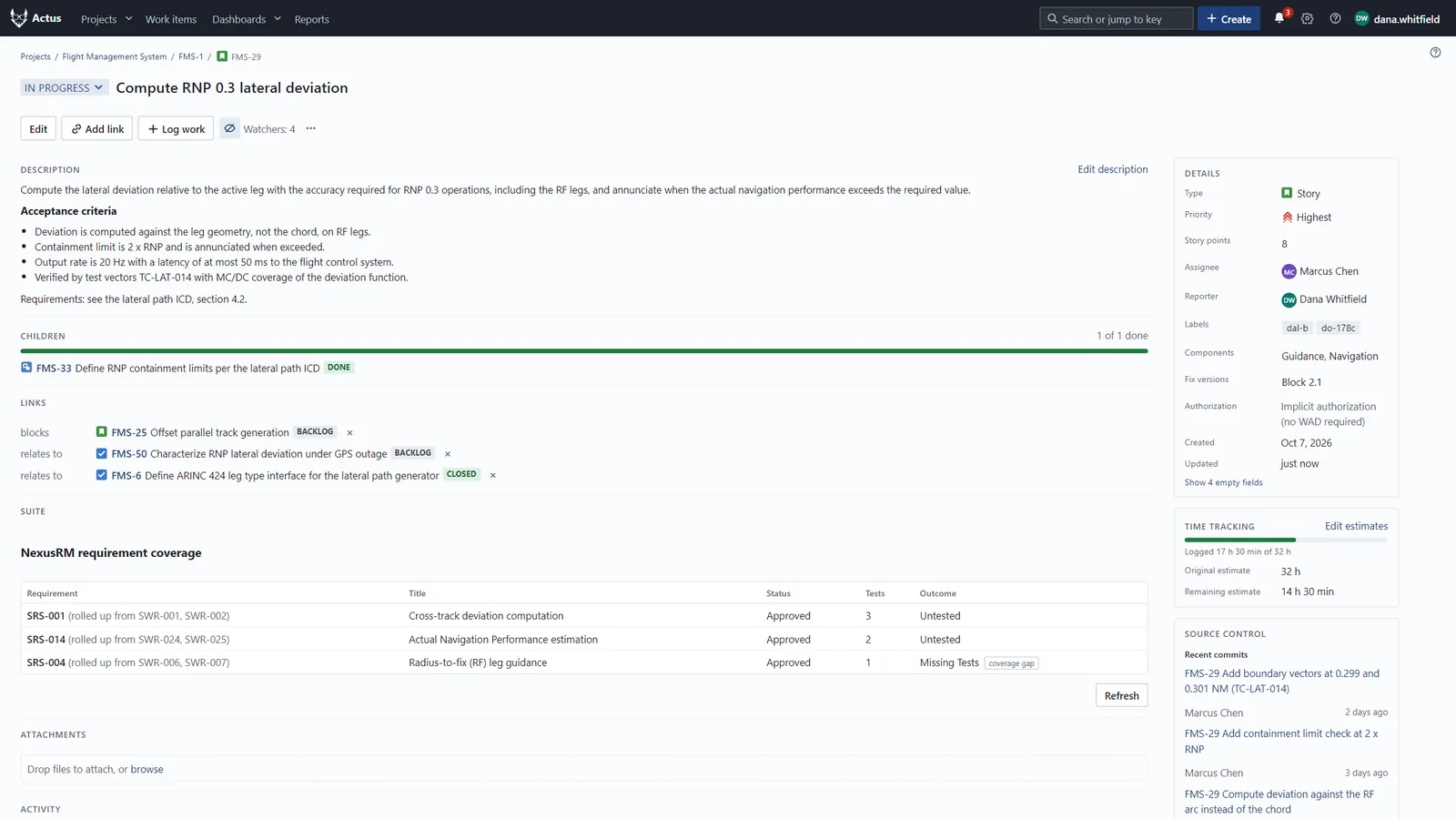
FMS-29 Compute RNP 0.3 lateral deviation in progress, with its description, child sub-task, links, NexusRM requirement coverage table, details panel, time tracking and source control commits
02 / Workflow editor

Draw the process. Gate every step.

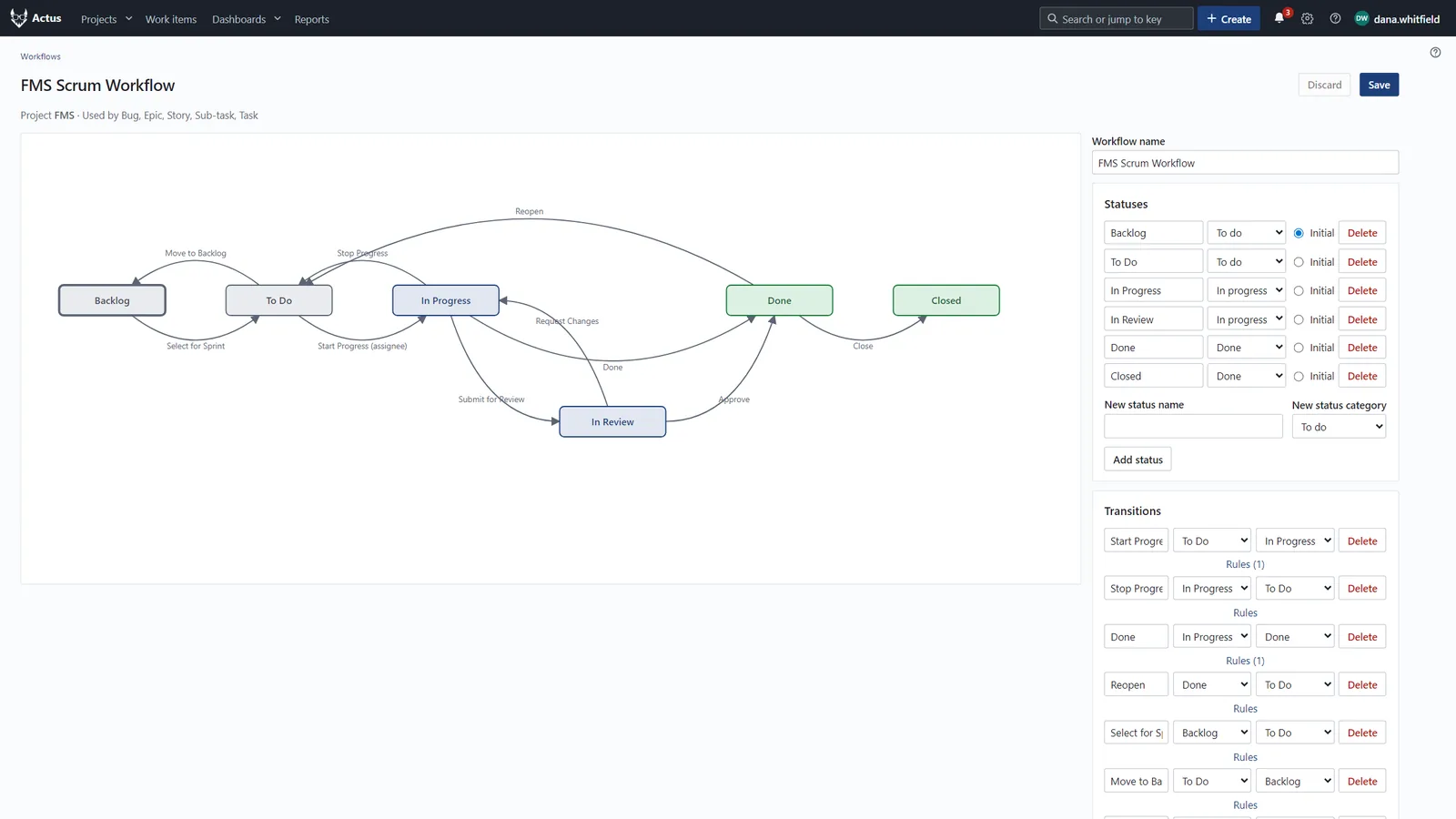
Each type follows a workflow of statuses and transitions that you arrange in a visual editor. Every status belongs to the To do, In progress or Done category and exactly one status is initial. Attach conditions (a project role, a directory group, the assignee or the reporter), validators (a required field, all sub-tasks done, linked items done) and post-functions (set a field, assign, clear a field) to any transition. Saving is refused when a status cannot be reached from the initial one.

  • Conditions, validators and post-functions per transition
  • Transitions from any status, such as Reopen
  • Extension-provided workflow functions
Workflow editor for the FMS Scrum Workflow with the Backlog, To Do, In Progress, In Review, Done and Closed statuses joined by labeled transitions, and the status and transition lists on the right
03 / Automation rules

Let the project do the routine work.

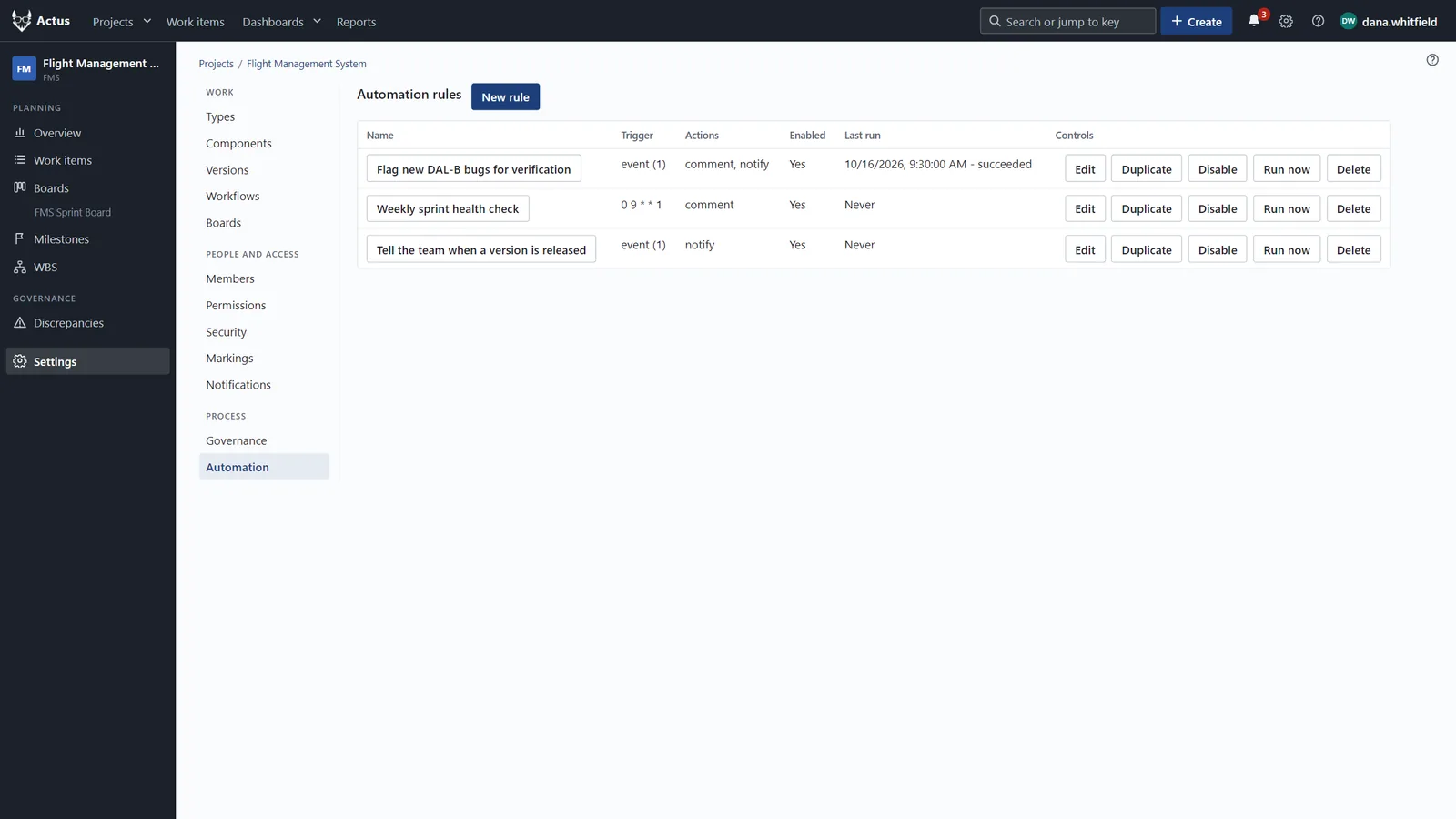
A rule watches one of 16 events, runs on a five-field UTC schedule, or runs from a button. It can narrow the items with an Advanced Query and up to ten conditions, then run up to ten actions in order: edit fields, transition, comment, create an item, notify users or fire a webhook. Rules run as their owner, the user who triggered them or the automation system user, never loop on their own events, and record every run in an execution log.

  • Event, schedule or manual triggers
  • Edit, transition, comment, create, notify and webhook actions
  • Loop protection and a per-action execution log
Automation settings of the Flight Management System project listing three rules, one with a last run that succeeded
04 / Time tracking

Estimate, log, report.

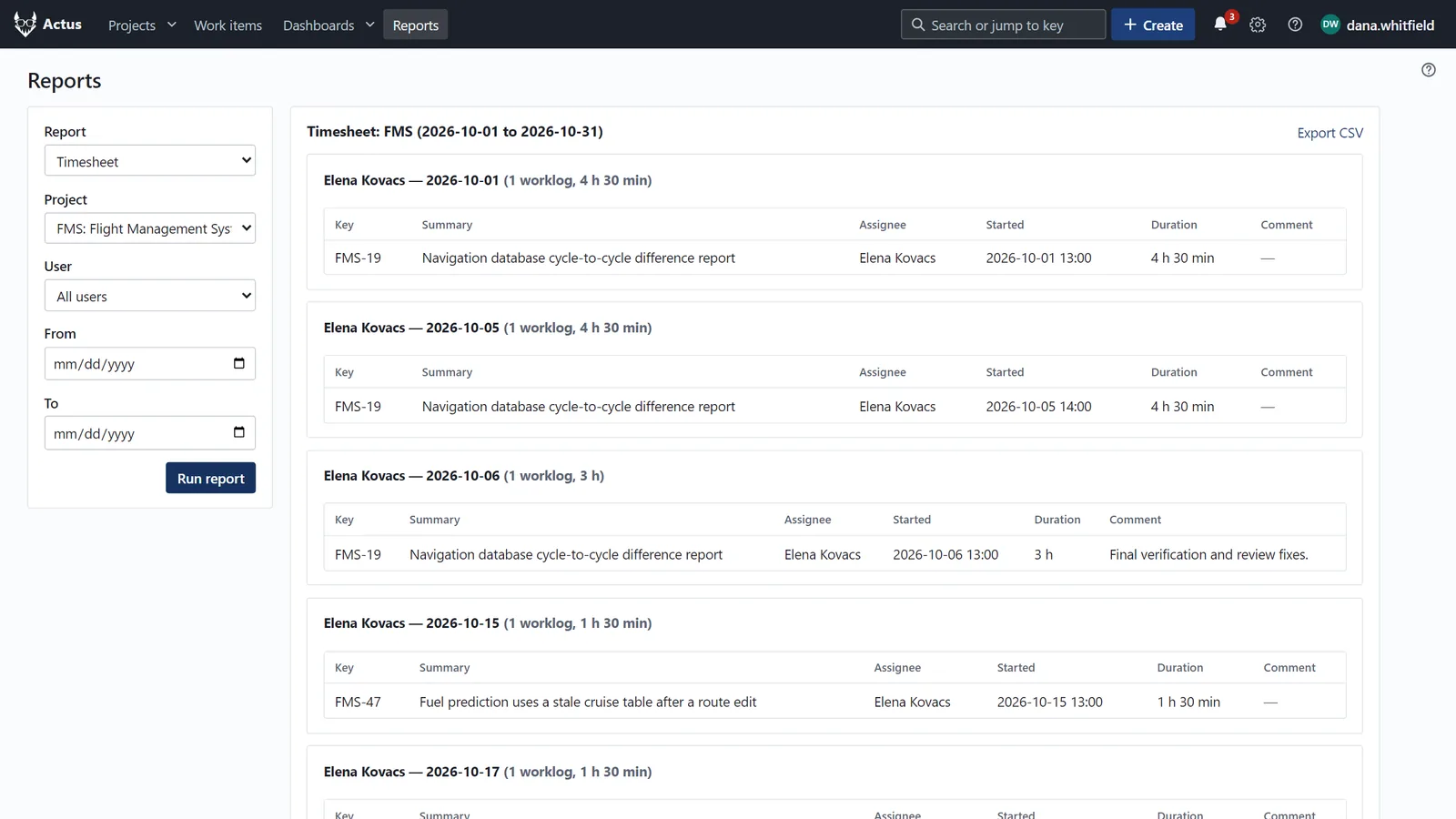
Set original and remaining estimates in hours and minutes, such as 1 h 30 min, and log work from the item or the Work log tab. When you log time, the remaining estimate adjusts automatically, is set to a value you choose, or stays untouched. The Timesheet report groups worklogs by user and day with a CSV export. On formal programs the same worklog is checked against work authorization.

  • Remaining estimate adjusts automatically, or on your terms
  • Timesheet report by user and day, exported to CSV
  • Worklogs gated by work authorization in formal mode
Timesheet report for the FMS project listing worklogs grouped by user and day, each with key, summary, assignee, start time and duration, and an Export CSV link