Control planeAir-gappedSold separately

One sign-in. One policy. One ledger.

Centrum is the identity, governance and audit layer of the suite. NexusRM, Lucent and Actus sign their users in through it, take their roles, projects and security policy from it, and report their audit trail back to it, all inside your enclave.

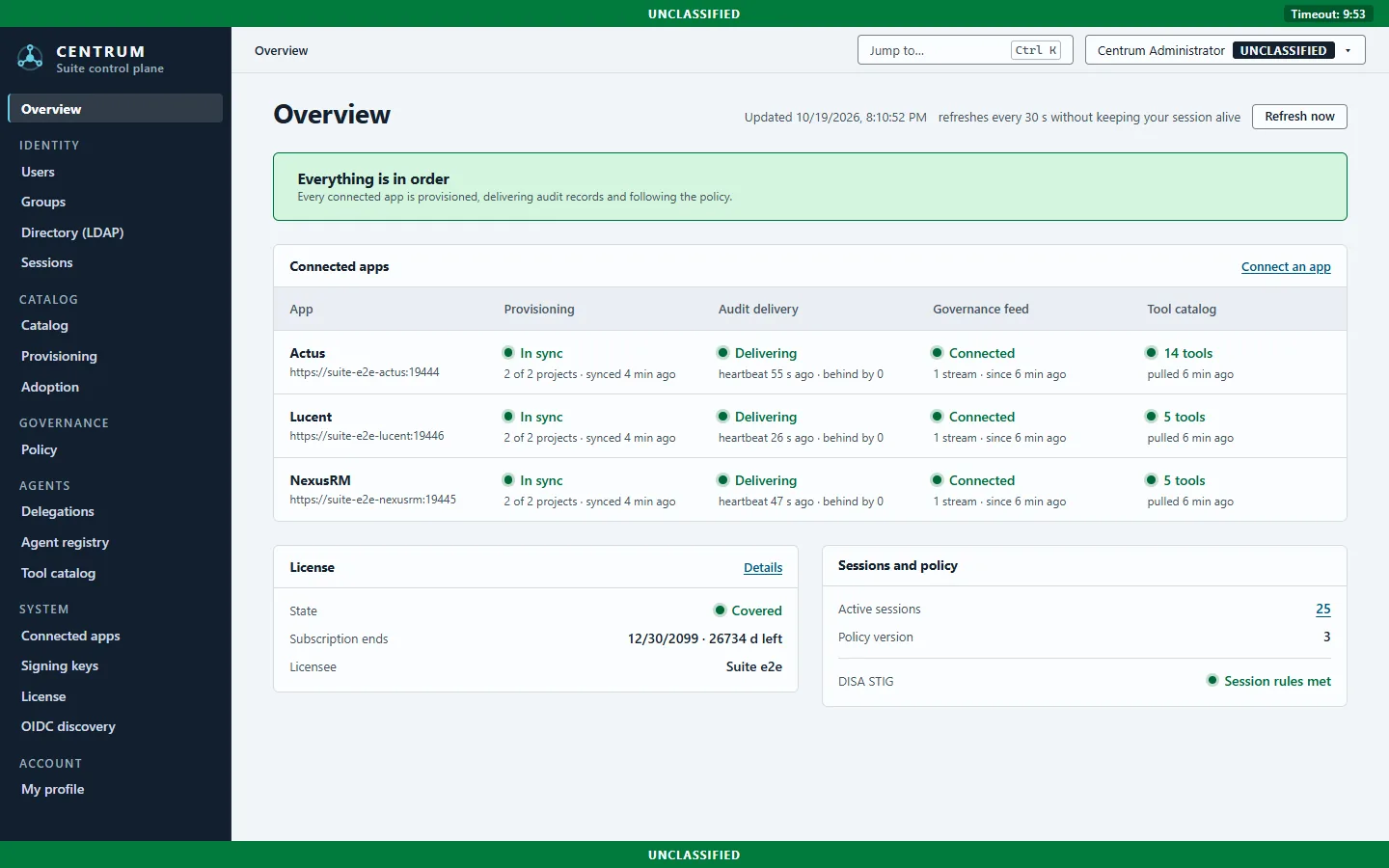
Centrum overview: each connected app with its provisioning, audit delivery, governance feed and tool catalog status, plus license and session policy
OIDC + PKCESingle sign-on, single logout
Hash-chainedAppend-only audit ledger
Zero egressNo CDN, no telemetry
Offline licenseSigned, checked locally
01 / Capabilities

Run the suite as one system.

Each app on its own has users, roles, banners and a log. With Centrum those become one set, administered once and provable end to end.

01 / Identity

Sign in once. Sign out everywhere.

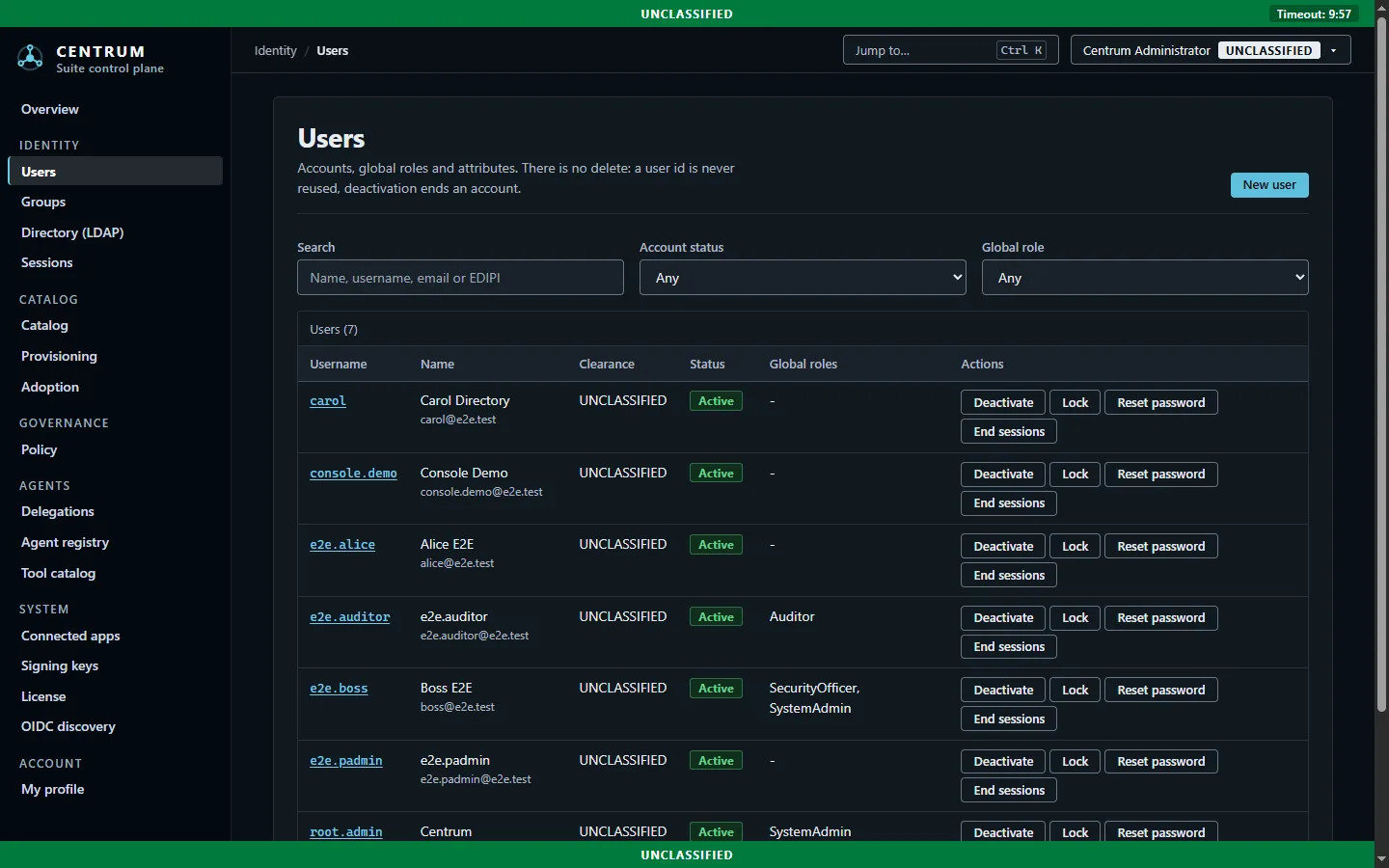
Centrum is an OpenID Connect provider using authorization code with PKCE. Users sign in with a local account, LDAP or Active Directory, or a CAC/PIV card, and every connected app trusts that one session. Signing out, or an administrator deactivating, locking or changing the account, ends the sessions in all apps through back-channel logout.

  • Local accounts, LDAP/AD sync and sign-in, CAC/PIV over mutual TLS
  • Apps authenticate with signed assertions, not shared secrets
  • Deactivation, lock, password reset, clearance change and membership removal revoke the user everywhere
Centrum Users page listing accounts with clearance, status and global roles
02 / Roles & provisioning

Create a project once.

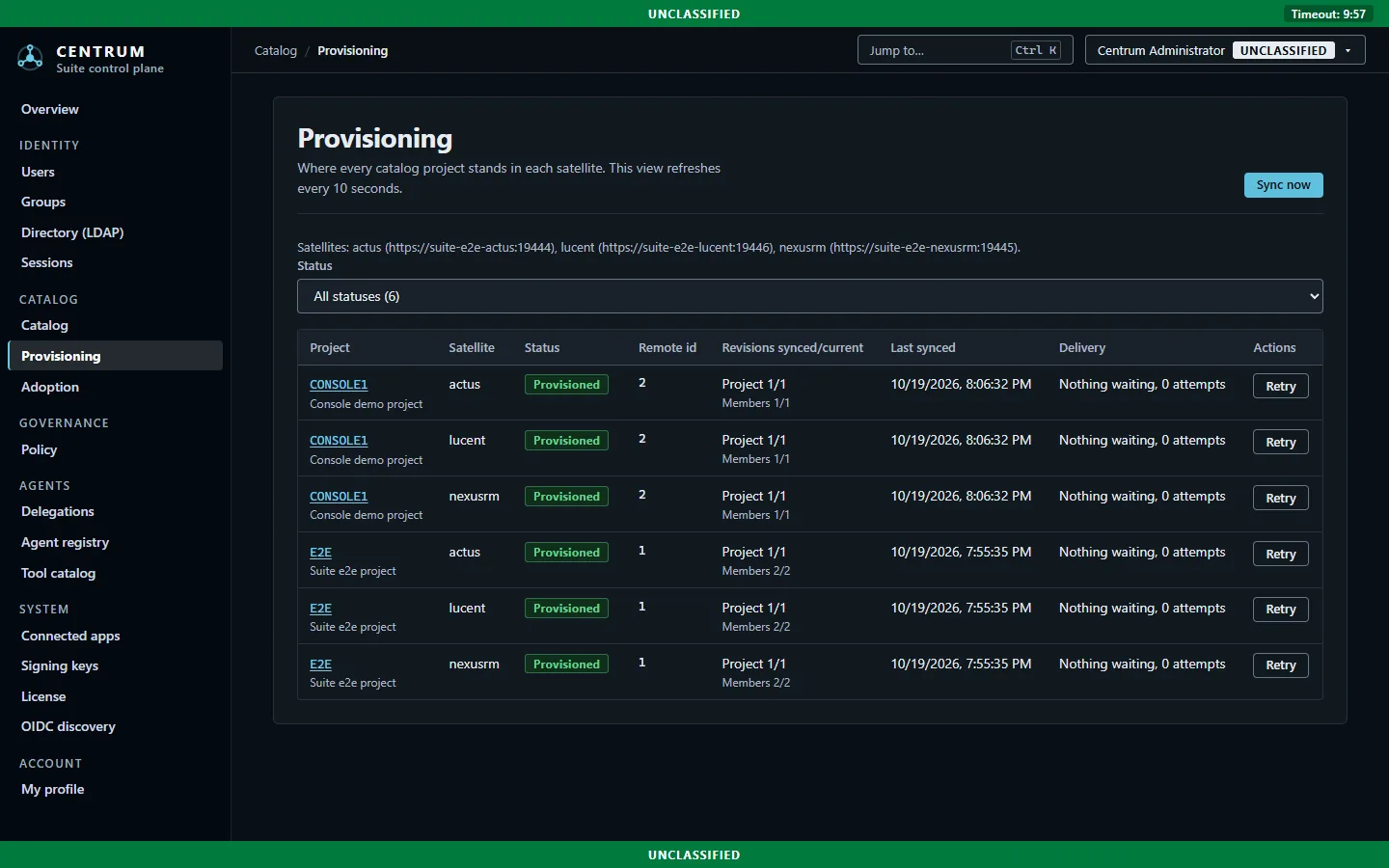
Organizations, programs, projects and workstreams are created in Centrum with a suite-wide key and pushed to NexusRM, Lucent and Actus, with membership synced by user. Centrum holds a small set of global roles (SystemAdmin, SecurityOfficer, Auditor) plus a coarse role per project; each app maps those onto its own finer roles through a table you can edit.

  • Delivery through a transactional outbox with retry, and status per project and app
  • Existing projects in an app can be adopted into the catalog
  • A project membership can be gated on the user's clearance
Centrum Provisioning view showing each project provisioned in Actus, Lucent and NexusRM
03 / Governance

Set the rules in one place.

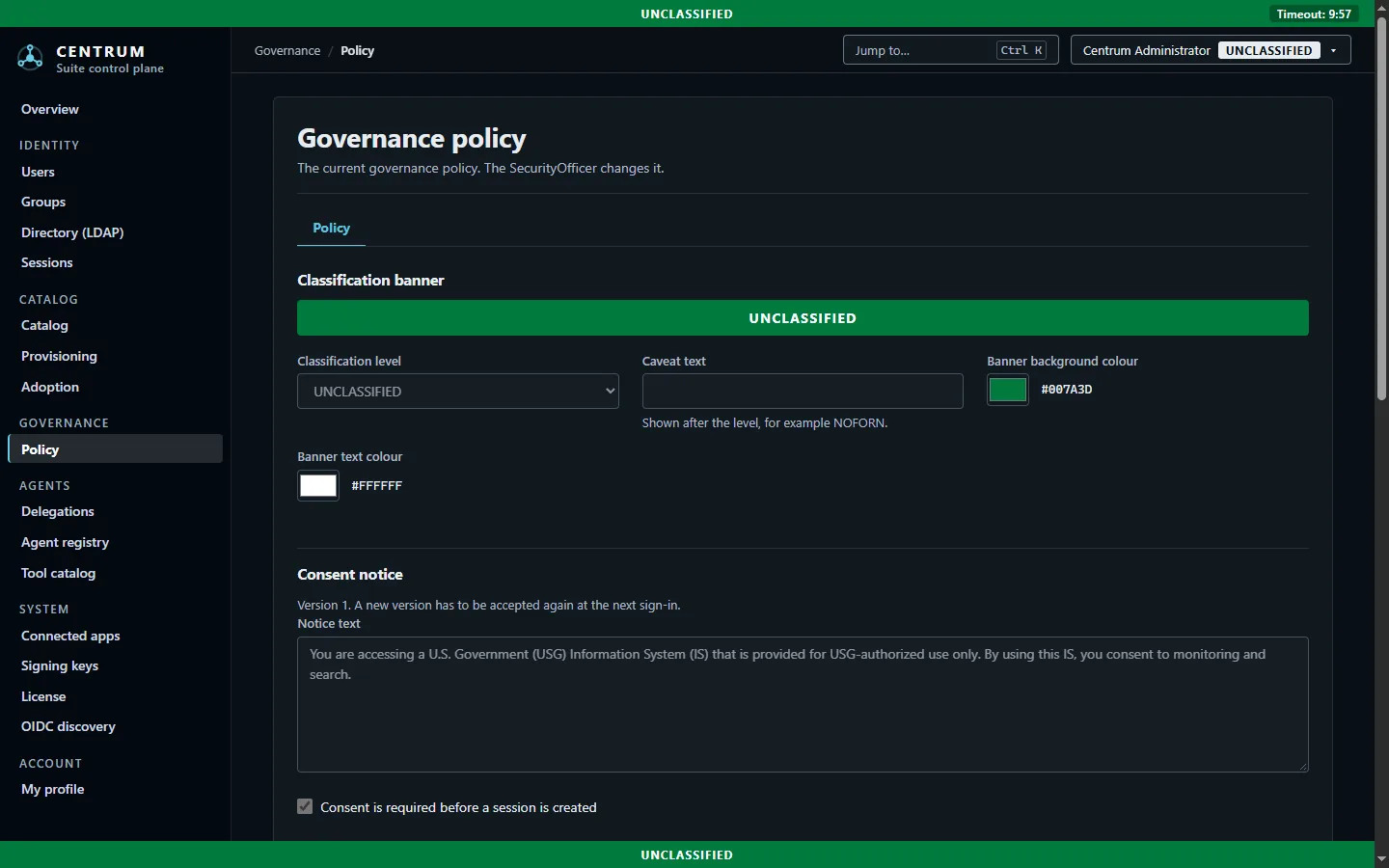
The SecurityOfficer edits the classification banner, the consent notice and the session limits once. The apps pick up the change over a live feed (with a polling fallback), enforce consent and timeouts on their servers, and keep the last policy they received if Centrum is unavailable.

  • Classification banner and DoD-style consent notice, accepted and recorded at each sign-in
  • Idle and absolute session limits, shorter for administrators
  • Exceeding the DISA ASD STIG limits needs an explicit acknowledgment, and is audited and flagged
Centrum governance policy page with classification banner and consent notice settings
04 / Audit & SIEM

A ledger you can verify.

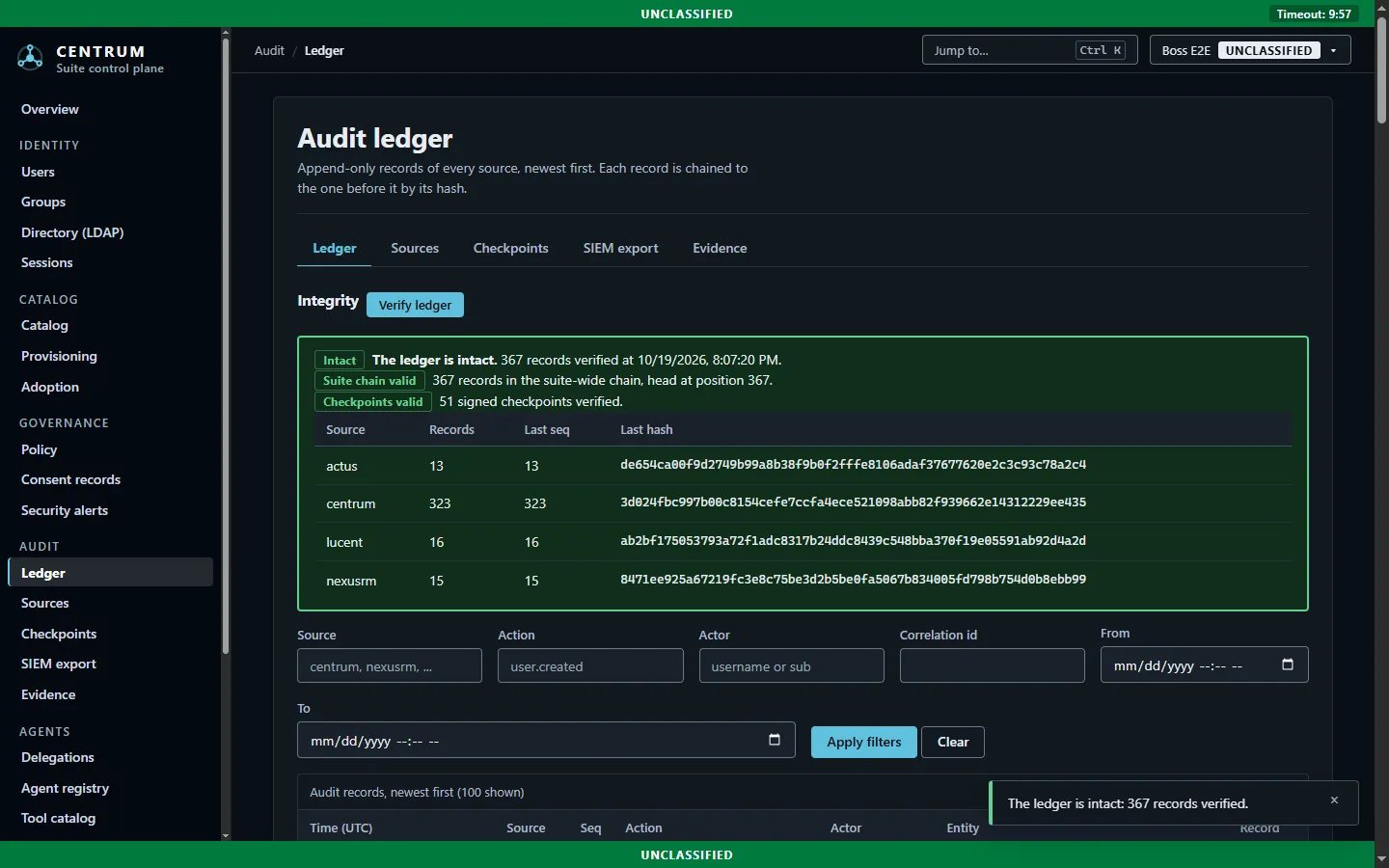
Every app writes its audit records locally first and delivers them to Centrum, which keeps them in an append-only, hash-chained ledger with a gap-free sequence per source. Verification reports the first bad record; signed checkpoints and alerts catch gaps, broken chains, silent sources and tampering.

  • Stored in PostgreSQL with database-level protection against update and delete
  • Forward every record to your SIEM as RFC 5424 syslog over TLS, or export a file
  • An evidence view for auditors, with the ledger readable by the Auditor role
Centrum audit ledger page reporting that the ledger is intact with per-source record counts and hashes
05 / Agent gateway

AI agents that act as someone.

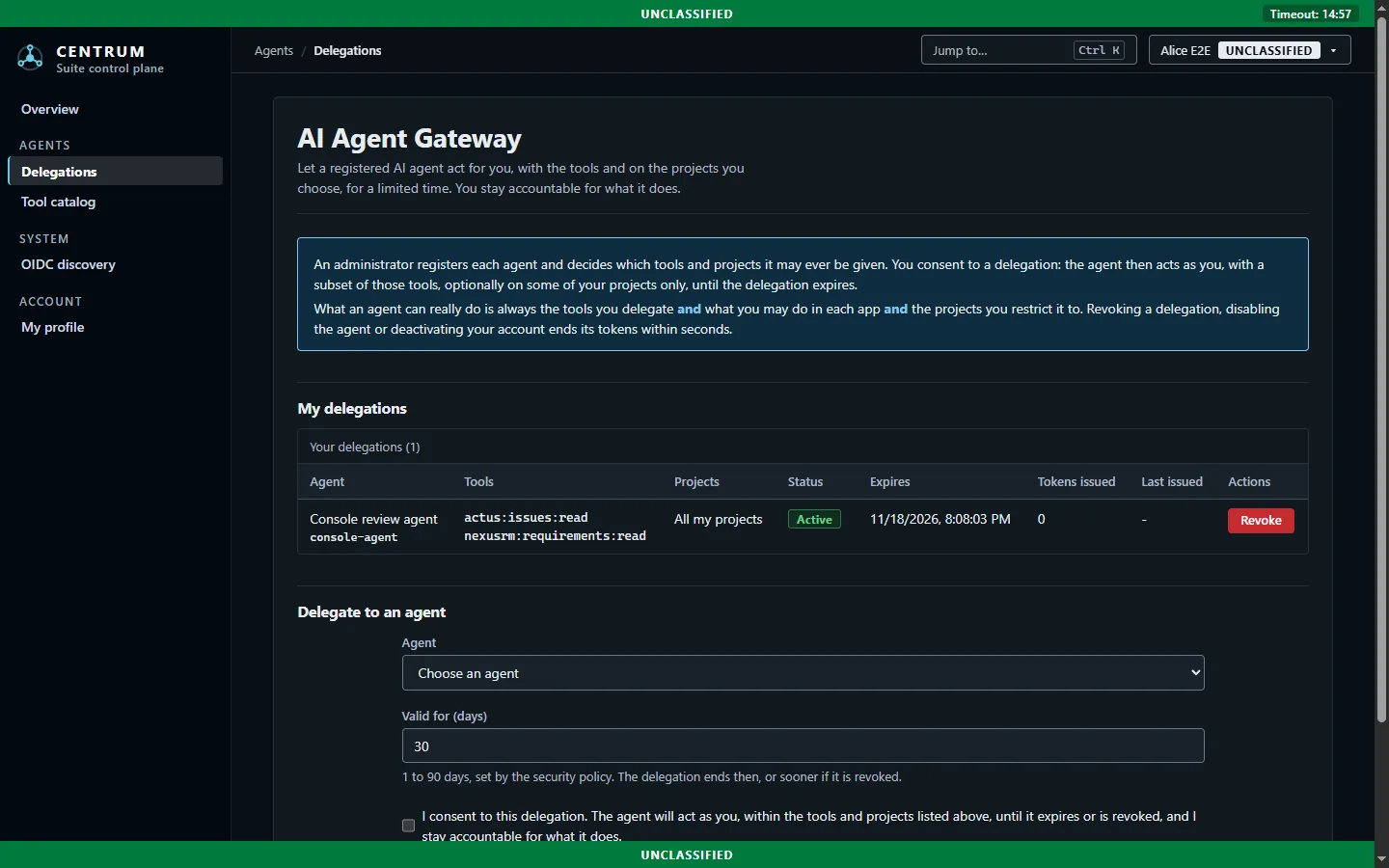
An administrator registers each AI agent with a ceiling of tools and projects. A user consents to a time-limited delegation, and the agent exchanges it for short-lived tokens that name both the sponsor and the agent. An agent can never do more than its sponsor can do in the app, and every issuance and every call is audited.

  • Signed tokens the apps check offline (15 minutes by default), or opaque tokens checked on every call
  • Revoking a grant, an agent or a user reaches the apps within seconds
  • Tool catalog pulled from each app
Centrum AI Agent Gateway page with a user's active delegation to a review agent
06 / Admin console

One console, shaped by role.

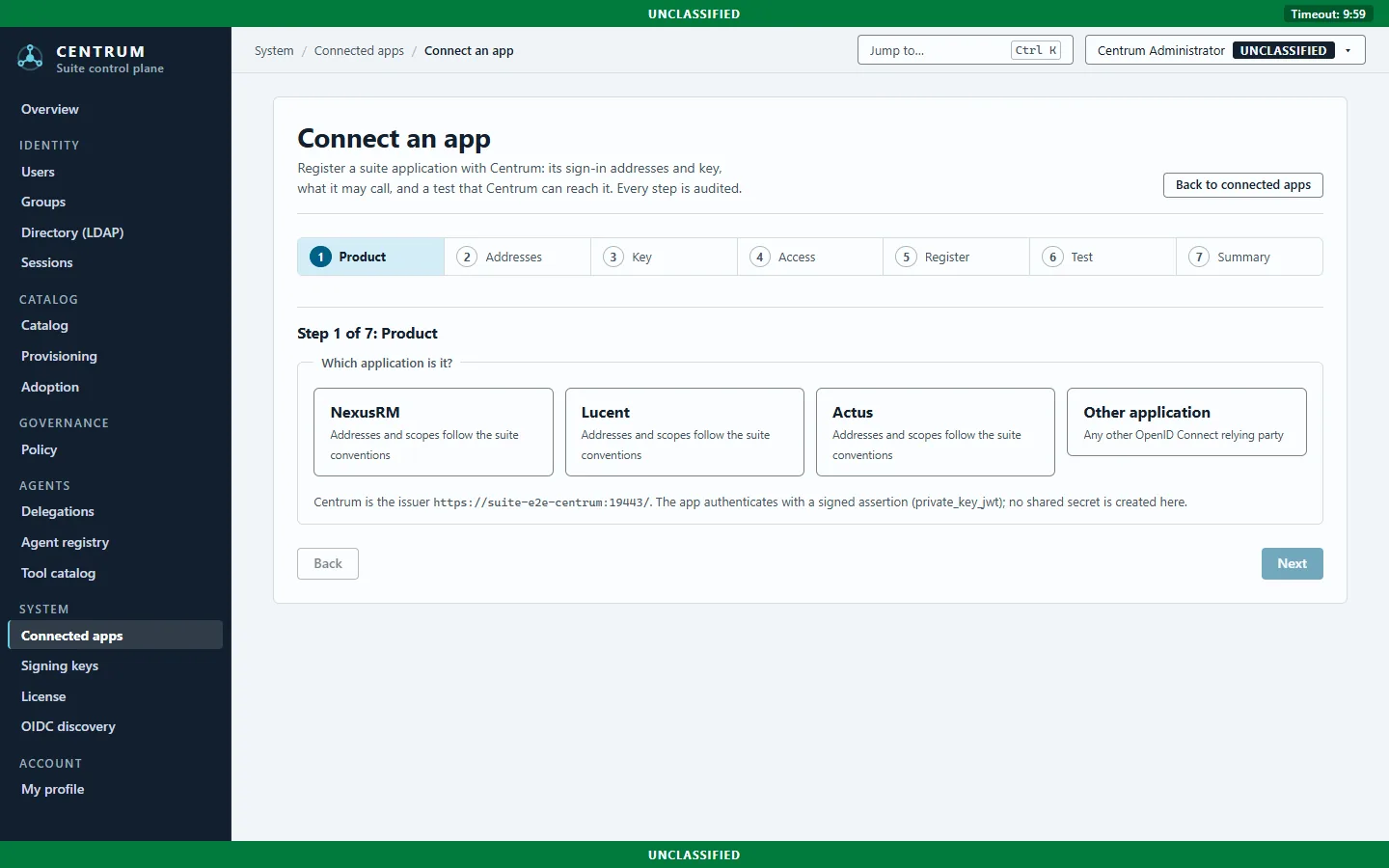
An overview shows, per connected app, whether provisioning, audit delivery, the governance feed and the tool catalog are healthy, and what needs action. A seven-step wizard connects a new app. Each role sees only what it may use, the whole console works from the keyboard, and it follows your light or dark theme.

  • Quick jump (Ctrl+K) across pages, users and projects
  • Connect NexusRM, Lucent or Actus: addresses, public key, scopes and a connection test
  • Served from Centrum itself with every asset bundled
Centrum Connect an app wizard, step 1: choose NexusRM, Lucent, Actus or another application
02 / Suite

Sold separately. Never required.

NexusRM, Lucent and Actus each run on their own. Centrum-managed mode is an opt-in switch per deployment, so you can adopt the control plane when the program needs it.

Standalone

Every product keeps its own mode

Without Centrum, an app keeps its own users, roles, banner and audit log, and makes no call to Centrum.

Managed

Centrum becomes the authority

Users, global and project roles, project existence, banner, consent and session policy, and agent tokens come from Centrum. The matching local admin screens turn read-only.

Outage

Work continues through an outage

Existing sessions run until they expire and apps keep the last policy. New sign-ins wait for Centrum, except a local break-glass administrator in each app, and that sign-in is audited. Audit records stay in the app until Centrum acknowledges them.

Licensing

One license per product

Each product checks only its own license, so managed mode never depends on another product's license.

Apps

The suite

NexusRM for requirements, Lucent for review and Actus for work authorization and tracking.

Enclaves

One Centrum per enclave

There is no live sync across a security boundary; identity and catalog data cross only through a sanitized export and import.

03 / Deployment

On your network. Nothing phones home.

An ASP.NET Core service and PostgreSQL, run with Docker Compose or from the container image. All assets and libraries are bundled: no CDN, no telemetry, no external requests from the console or the sign-in page.

Air-gapped

Offline from day one

PostgreSQL is the only dependency; there is no Redis or other service. Configuration and secrets come from the environment and mounted files.

Image

Iron Bank-ready container

Built to the Iron Bank Dockerfile rules on UBI 9, running as a non-root user with a read-only filesystem, and delivered to you signed. It has not been submitted to Iron Bank yet.

License

Offline signed license

A license file is checked at start-up before any database migration. A build that is not covered serves only health checks and a status page and leaves your database untouched.

Transport

TLS and CAC

Run behind your TLS-terminating proxy or give Centrum a certificate. Outside development it refuses plain HTTP. CAC/PIV works over mutual TLS or a certificate header from a trusted proxy.

Security

STIG mapping, with open findings

We publish a mapping to the DISA ASD STIG that lists what Centrum meets and what it does not yet, so an assessor can plan compensating controls.

Status

Ready for evaluation

Centrum is ready to evaluate against your enclave. Talk to us about the open items before a production deployment.

04 / Licensing

Licensed on its own terms.

Centrum is proprietary software, sold separately from NexusRM, Lucent and Actus under the Code Monster Software license agreement, with an offline subscription license.

Subscription

Keep what you were licensed

A license covers every build released on or before the subscription end date. Coverage does not lapse with the calendar, so versions released during your subscription stay usable.

Offline

Verified locally

The license file is checked on your own server with no call to us, so it works in an air-gapped enclave.

Terms

Ask for the details

Pricing and support options are agreed per deployment; send us your environment and we will propose a package.

05 / FAQ
Do I need Centrum to use NexusRM, Lucent or Actus?

No. Each product runs standalone with its own users and settings, and that stays the default. Centrum-managed mode is an opt-in setting for each deployment, and Centrum is a separate purchase.

What is managed by Centrum, and what becomes read-only in the app?

In managed mode Centrum is the authority for users, global and project roles, project existence, the classification banner, consent and session policy, and agent tokens. The matching admin screens in the app become read-only. Each app keeps its own fine-grained roles, mapped from the Centrum roles through a table.

What happens if Centrum is down?

Sessions that already exist keep working until they expire, and apps keep enforcing the last policy they received. New sign-ins fail, except for a local break-glass administrator in each app, whose use is audited. Audit records stay in the app's own log until Centrum acknowledges them, so nothing is lost.

Does it replace our LDAP, Active Directory or CAC setup?

No. Centrum connects to them. It syncs directory groups and maps them to roles, lets directory users sign in with LDAP bind, and accepts CAC/PIV sign-in against your DoD CA files and CRLs. Centrum is itself the identity provider of the suite; it does not federate to another OpenID Connect or SAML provider.

How is the audit trail protected?

Each app writes locally first and delivers to Centrum, where records are appended to a hash-chained ledger that PostgreSQL itself refuses to update or delete. A verify function reports the first bad record, signed checkpoints are kept, and alerts fire on gaps, chain breaks, silent sources and tampering. Records can be forwarded to your SIEM as syslog over TLS.

How do AI agents stay accountable?

An agent never has its own authority. A user delegates a set of tools, on chosen projects, for a limited time, and the agent's token names both the user and the agent. The app still checks what that user may do, so the agent gets the intersection of the two. Revoking the grant, the agent or the user ends access within seconds.

Can one Centrum serve several enclaves?

No. Run one Centrum per enclave. Identity and catalog data cross a boundary only through a sanitized export and import, never a live connection.

Is Centrum STIG-compliant or accredited?

We map it to the DISA ASD STIG and publish the mapping including the open findings, which need a compensating control or a product change before an ATO. Accreditation is yours to grant for your environment. Our Iron Bank-ready image has not yet been submitted to Iron Bank.

Where does our data live?

In your PostgreSQL database on your hardware. Nothing is sent to us or anyone else.