Actus / Search & dashboards

Find anything. Keep the program in view.

One query language drives the search, the saved filters, the dashboard gadgets and the reports, so the number on your dashboard is the list you can open.

01 / Advanced query

Write the question once.

Search work items in Basic mode with project, type, status and assignee pickers, or switch to Advanced Query and write it with autocomplete for fields, operators and values. The language has functions such as currentUser(), openSprints() and linkedIssues(), operators that read the recorded history (WAS and CHANGED) and ORDER BY. Typical Jira queries run unmodified, and results export to CSV or Excel, print, or take a bulk update.

  • Autocomplete for fields, operators and values
  • Functions, history operators and ORDER BY
  • Export to CSV or Excel, print, bulk update
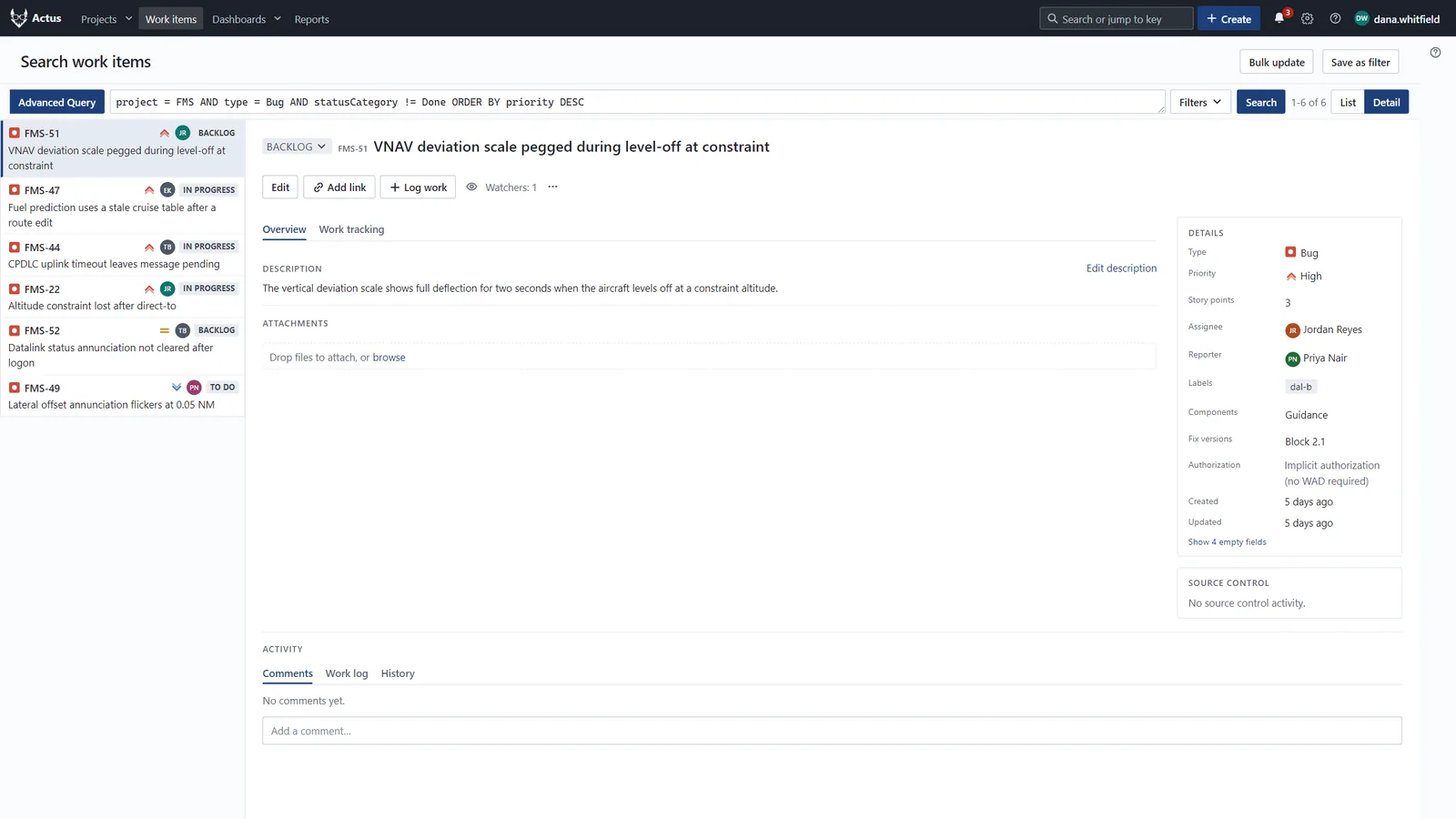
Work items search in Advanced Query mode with the query project = FMS AND type = Bug AND statusCategory != Done ORDER BY priority DESC, five results listed and FMS-51 selected with its detail pane
02 / Filters & subscriptions

Save it, share it, schedule it.

Save any query as a filter and share it with users, directory groups or whole projects. Subscribe to a filter to receive its results by e-mail daily, weekly or monthly at a time you choose, optionally only when there are results, or send it right away. The same filters feed dashboard gadgets and reports.

  • Share with users, directory groups and projects
  • Daily, weekly or monthly e-mail subscriptions
  • Only send when there are results
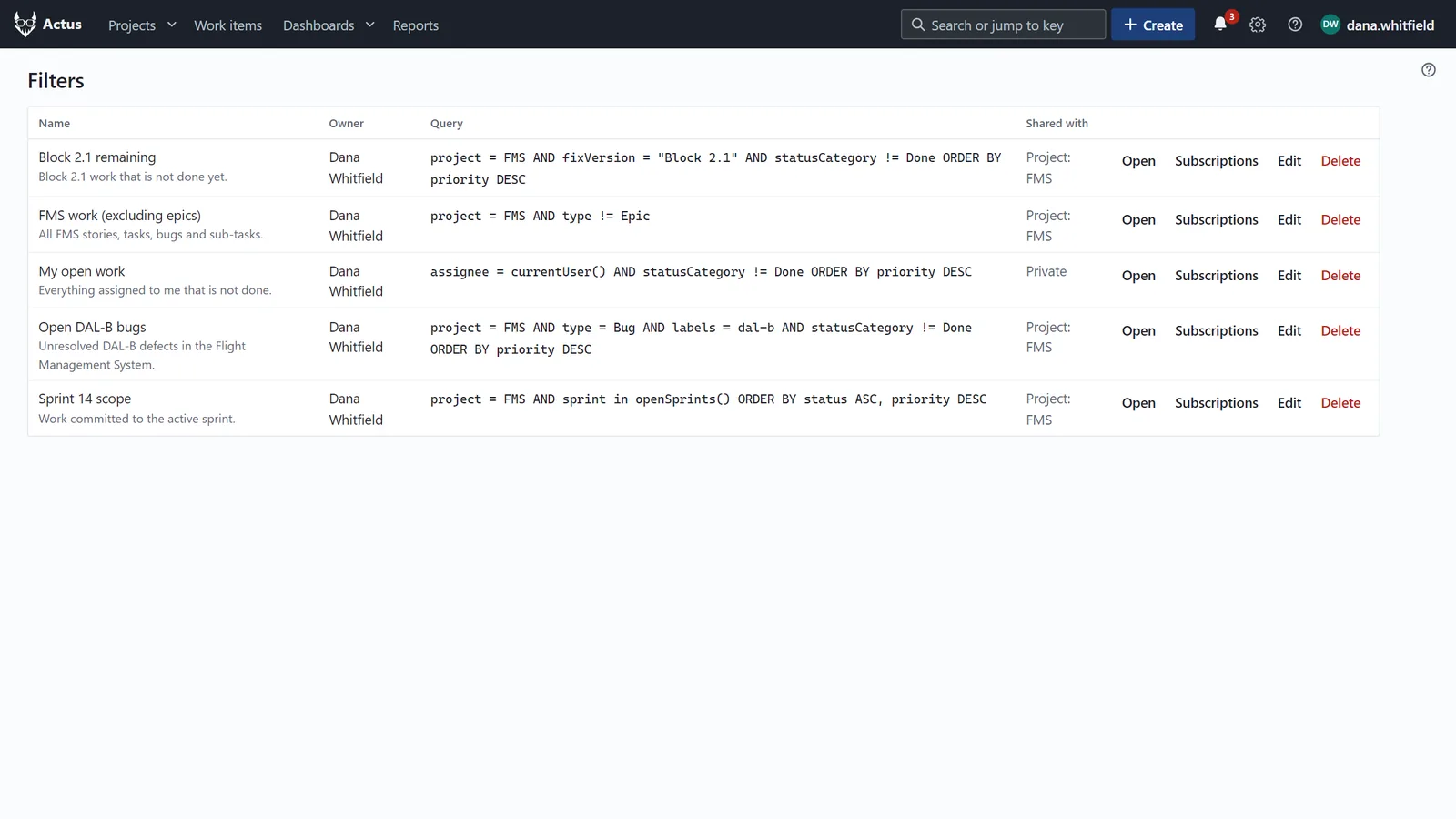
Filters list with Block 2.1 remaining, FMS work excluding epics, My open work, Open DAL-B bugs and Sprint 14 scope, four of them shared with the FMS project, and Open, Subscriptions, Edit and Delete actions
03 / Dashboards

A program overview that stays live.

A dashboard is a grid of gadgets of one to three columns that you share with users, groups or projects. Gadgets include filter results, assigned to me, pie, bar and two-dimensional charts, created vs resolved, average age, resolution time, sprint burndown, WBS roll-up, an activity stream and a custom gadget over any filter or inline query. Drag gadgets between columns to arrange them.

  • Lists, charts, time series and agile gadgets
  • Sprint burndown and WBS roll-up gadgets
  • Shared with users, groups and projects
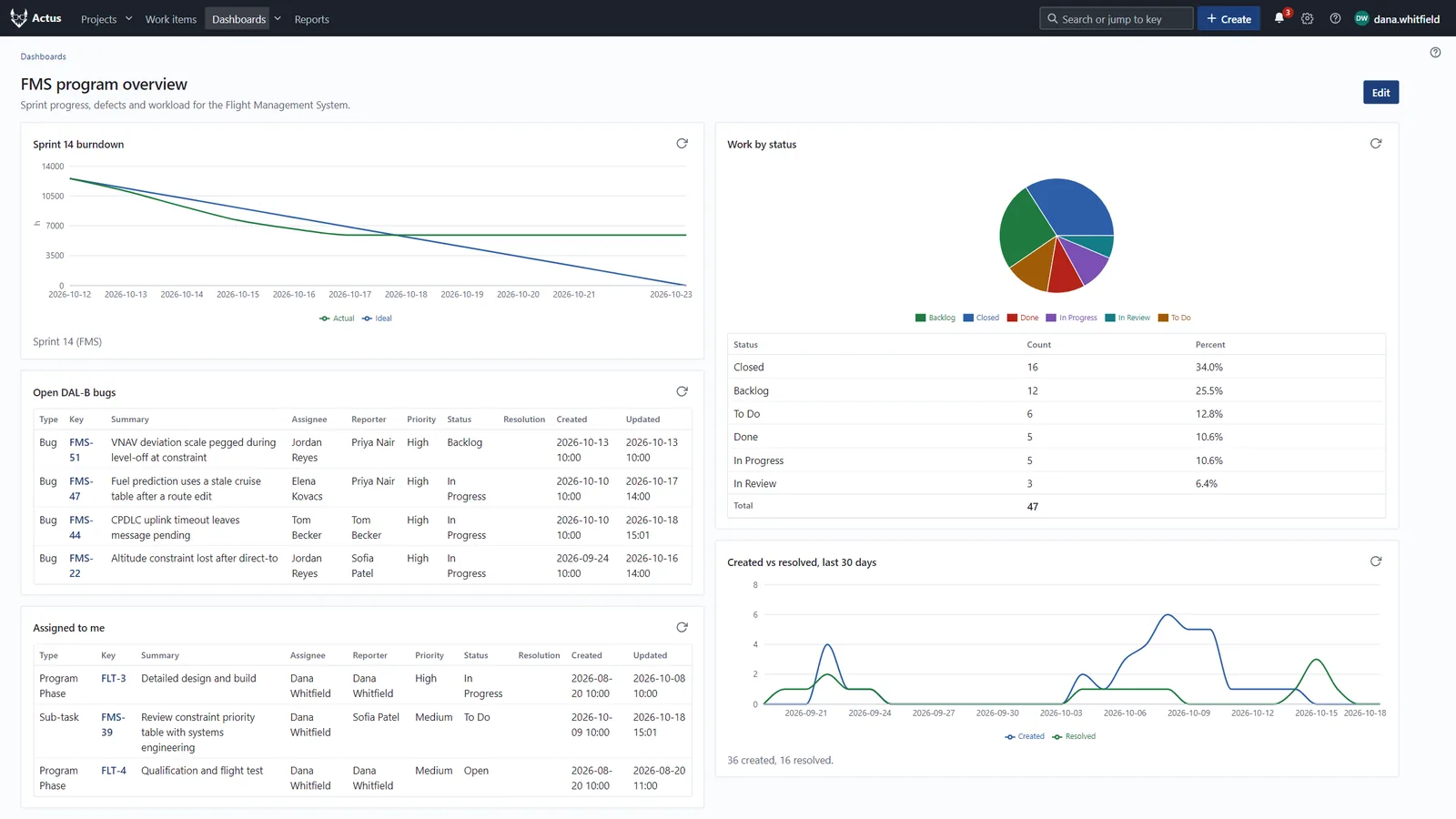
FMS program overview dashboard with the Sprint 14 burndown, open DAL-B bugs, items assigned to me, a work by status pie with a table and a created vs resolved chart
04 / Reports

Ten reports for the questions teams ask.

The Reports page runs created vs resolved, cumulative flow, control chart, release, timesheet, sprint burndown, sprint burnup, sprint report, velocity and roadmap analyses over a query, a saved filter, a sprint, a version or a project. Choose the report and its source and press Run report. The timesheet exports to CSV.

  • Burndown and burnup against the sprint scope
  • Cumulative flow and control chart over any query
  • Release, velocity and roadmap reports
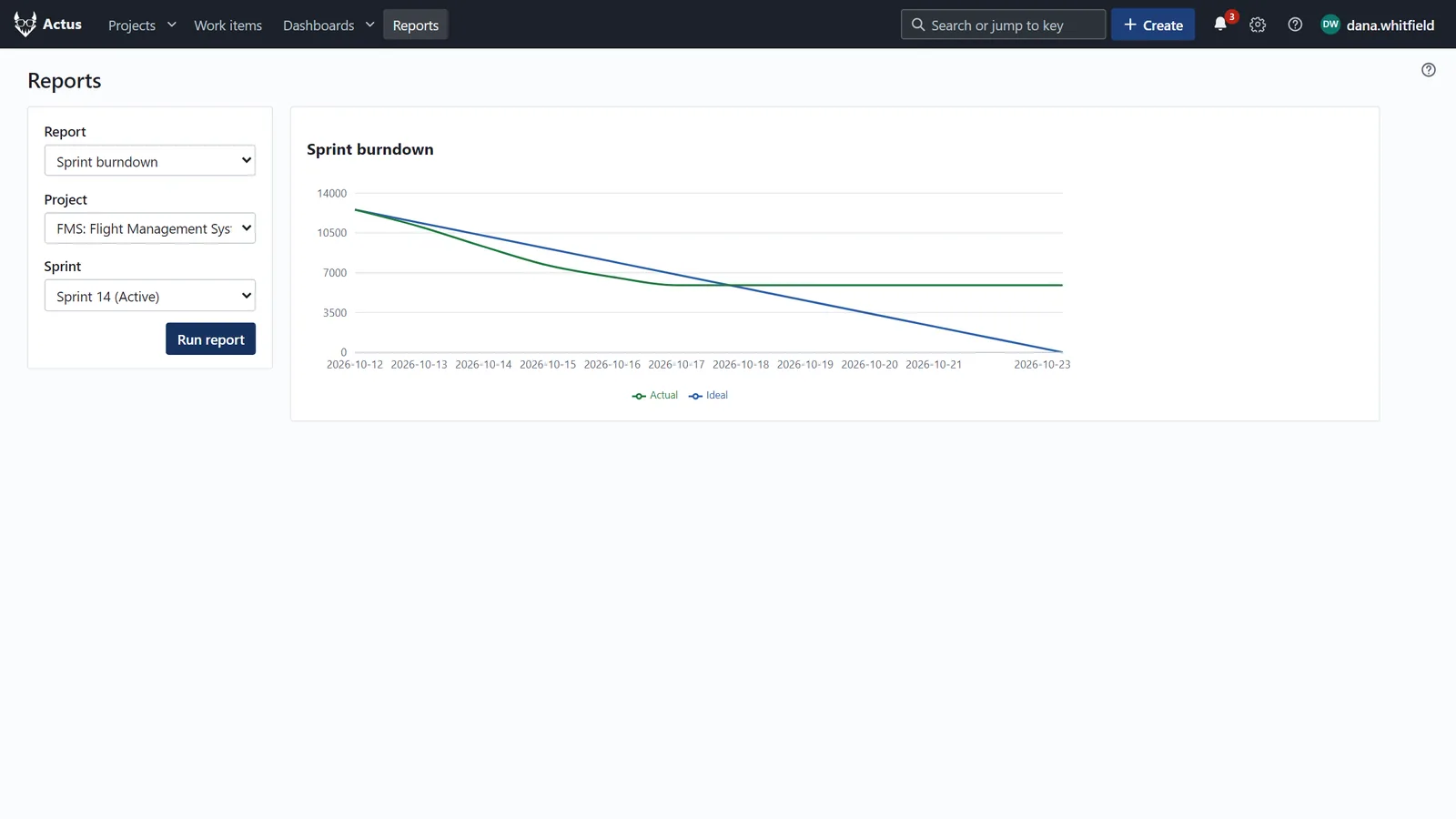
Reports page with Sprint burndown selected for the FMS project and Sprint 14, charting actual and ideal remaining work from 2026-10-12 to 2026-10-23